dobe After Effects is the industry-standard software for creating motion graphics, visual effects, and compositing. This course is designed to take learners from the basics of the interface to advanced techniques such as animation, rotoscoping, 3D camera tracking, and rendering. By the end of the program, students will be able to design professional-quality video projects for film, television, advertising, and digital media.
Benefits of Learning After Effects

  • Creative freedom: Turn ideas into dynamic animations and cinematic effects.
  • Career opportunities: Motion graphics designers, video editors, and VFX artists are in high demand globally.
  • Industry relevance: Widely used in film production, advertising agencies, and social media content creation.
  • Portfolio building: Create professional projects that showcase your skills to employers and clients.
  • Integration with Adobe tools: Seamlessly works with Photoshop, Illustrator, and Premiere Pro.

Uses and Applications

  • Motion graphics: Animated text, logos, and infographics.
  • Visual effects: Explosions, weather effects, and cinematic transitions.
  • Compositing: Combining multiple video elements into one seamless scene.
  • Tracking and animation: Object tracking, character animation, and 3D camera movement.
  • Social media content: Eye-catching reels, ads, and promotional videos.

Advantages of This Course

  • Step-by-step guidance from experienced instructors.
  • Hands-on projects to practice real-world scenarios.
  • Access to latest techniques and tools in After Effects.
  • Builds both creative and technical skills.
  • Suitable for learners with no prior experience as well as professionals upgrading their skills.

Who Should Learn / Recommendations

  • Students: Interested in multimedia, animation, or film studies.
  • Video editors: Looking to add advanced effects and motion graphics to their work.
  • Graphic designers: Wanting to expand into animation and dynamic visuals.
  • Content creators: YouTubers, influencers, and marketers aiming to produce engaging videos.
  • Professionals: Working in advertising, film, or digital media industries.
30 Hours

Beginners Level

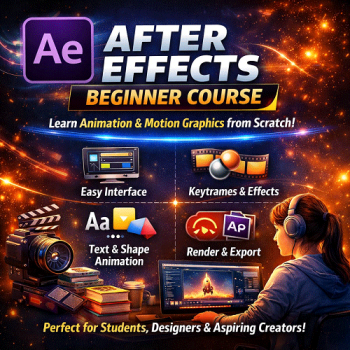
The Adobe After Effects Beginner Course is the perfect starting point for anyone eager to explore the world of motion graphics and visual effects. This course introduces learners to the fundamentals of After Effects, focusing on how to create animations, manage layers, and apply visual effects to videos. Students begin by understanding the software’s interface — learning how panels, timelines, and tools interact to form the foundation of every project. Gradually, they move into practical exercises that teach how to animate text, shapes, and images, giving life to static designs through smooth transitions and dynamic motion. Throughout the course, learners gain hands-on experience with keyframes and animation principles, discovering how timing and movement can transform simple visuals into professional-quality motion graphics. They also explore basic effects and presets, color correction, and rendering techniques — essential skills for producing polished videos ready for social media, advertising, or film projects.
Course Syllabus:

Adobe After Effects Beginners Level's Syllabus

BY: ELITE InfoTech
3 Hours Introduction & Interface
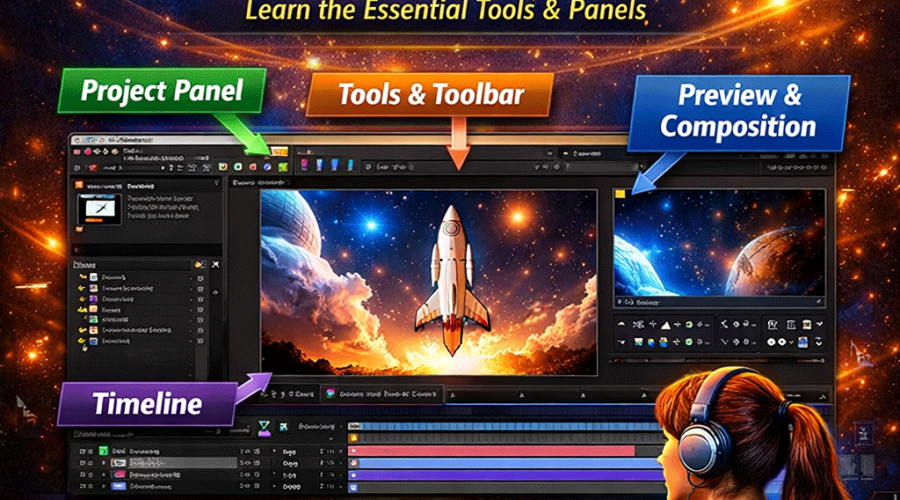
Introduction to the interface, workspace setup, and project organization. Learn how to navigate panels, tools, and composition settings.
BY: ELITE InfoTech
3 Hours Layers and Timeline
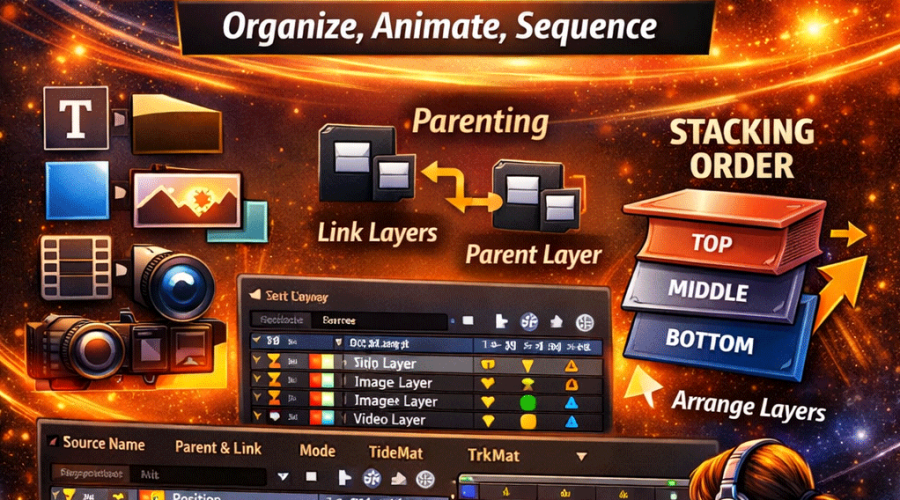
Explore layer types (text, shape, solid, image, video). Understand stacking order, parenting, and timeline control for animation sequencing.
BY: ELITE InfoTech
3 Hours Keyframes & Animation
Learn keyframe principles, easing, and smooth motion transitions. Animate position, scale, rotation, and opacity for dynamic effects.
BY: ELITE InfoTech
3 Hours Text & Shape
Create animated titles, logos, and graphic elements using text presets, shape layers, and motion paths.
BY: ELITE InfoTech
3 Hours Effects & Presets
Apply color correction, blur, glow, and distortion effects. Learn how to use and customize built-in presets for creative visuals.
BY: ELITE InfoTech
3 Hours Masking & Blending Modes
Use masks to reveal or hide parts of layers. Understand alpha channels and blending modes for creative compositions.
BY: ELITE InfoTech
3 Hours Tracking & Stabilization
Learn basic tracking techniques to attach graphics to moving objects and stabilize shaky footage.
BY: ELITE InfoTech
3 Hours 3D Layers & Camera Basics
Work with 3D space, camera angles, and lighting to add depth and perspective to animations.
BY: ELITE InfoTech
3 Hours Rendering & Exporting
Learn output formats, render queue management, and export settings for YouTube, social media, or professional use.
BY: ELITE InfoTech
3 Hours Project & Review
Combine all skills to produce a complete animated video project. Review techniques, troubleshoot issues, and finalize a portfolio piece.
Animation

Course At A Glance

Adobe After Effects is a revolutionary software that transformed the world of motion graphics and visual effects. Originally developed by the Company of Science and Art (CoSA) in 1993, the first version allowed users to composite layers and apply simple effects — a groundbreaking innovation for its time.

In 1994, Aldus Corporation acquired After Effects, and soon after, Adobe Systems purchased Aldus, bringing After Effects under the Adobe Creative Suite umbrella. Since then, Adobe has continuously evolved the software, integrating advanced features like 3D rendering, motion tracking, expressions, and dynamic linking with other Adobe tools such as Premiere Pro and Photoshop.

Evolution Highlights

  • 1993 – Version 1.0: Basic compositing and layer-based editing introduced.
  • 1995 – Version 3.0: Added motion blur and time remapping.
  • 2001 – Version 5.0: Introduced 3D layers and cameras.
  • 2006 – CS3: Integration with Photoshop and Illustrator improved.
  • 2013 – CC Release: Cloud-based updates and dynamic linking with Premiere Pro.
  • 2020s – Modern Era: AI-powered rotoscoping, real-time previews, and GPU acceleration.

Why This History Matters in the Course

Understanding the evolution of After Effects helps learners appreciate how modern visual storytelling developed. Each version introduced tools that shaped today’s film, advertising, and digital content industries.

By studying its history, students gain insight into how creative technology evolved — from simple layer compositing to complex 3D animation and VFX workflows.